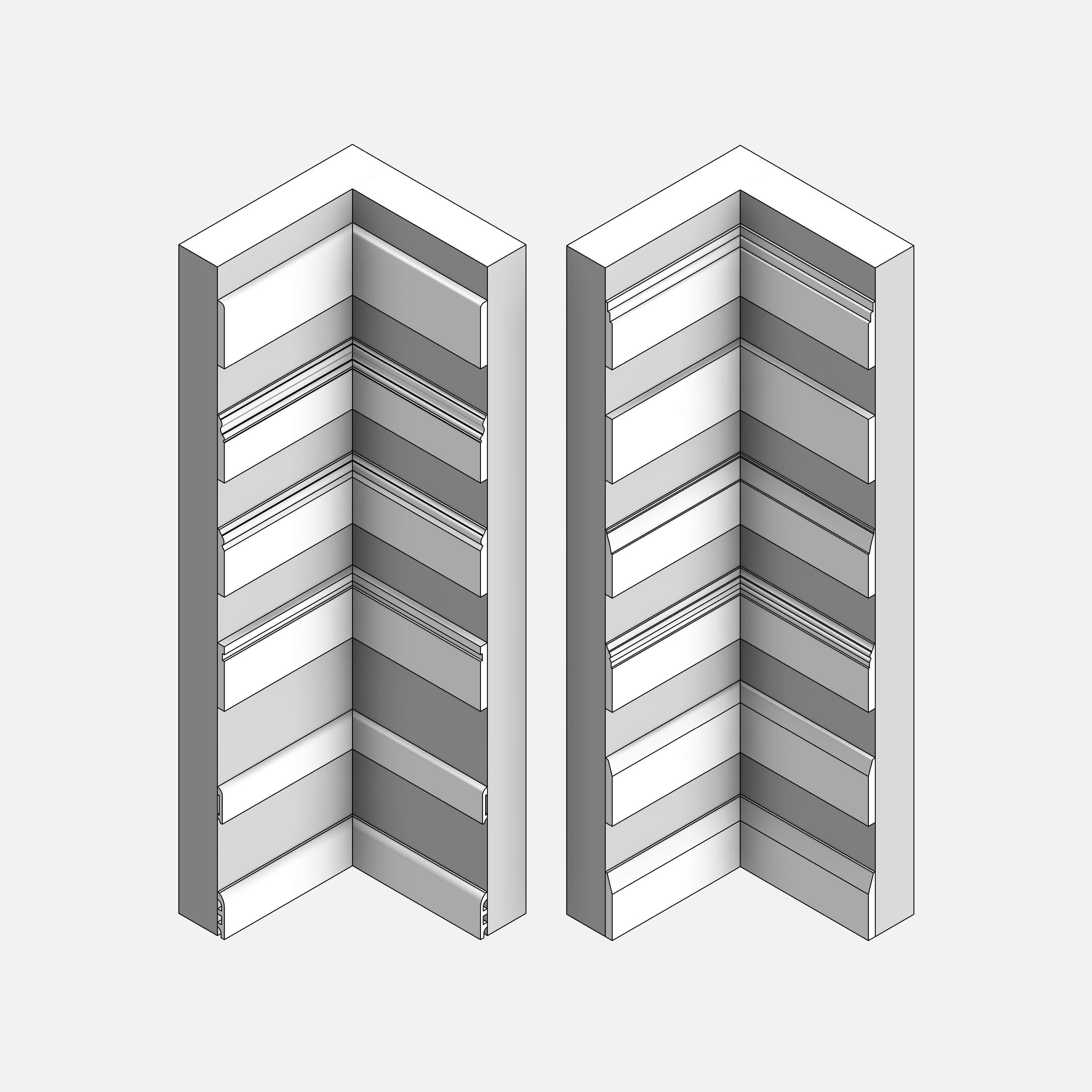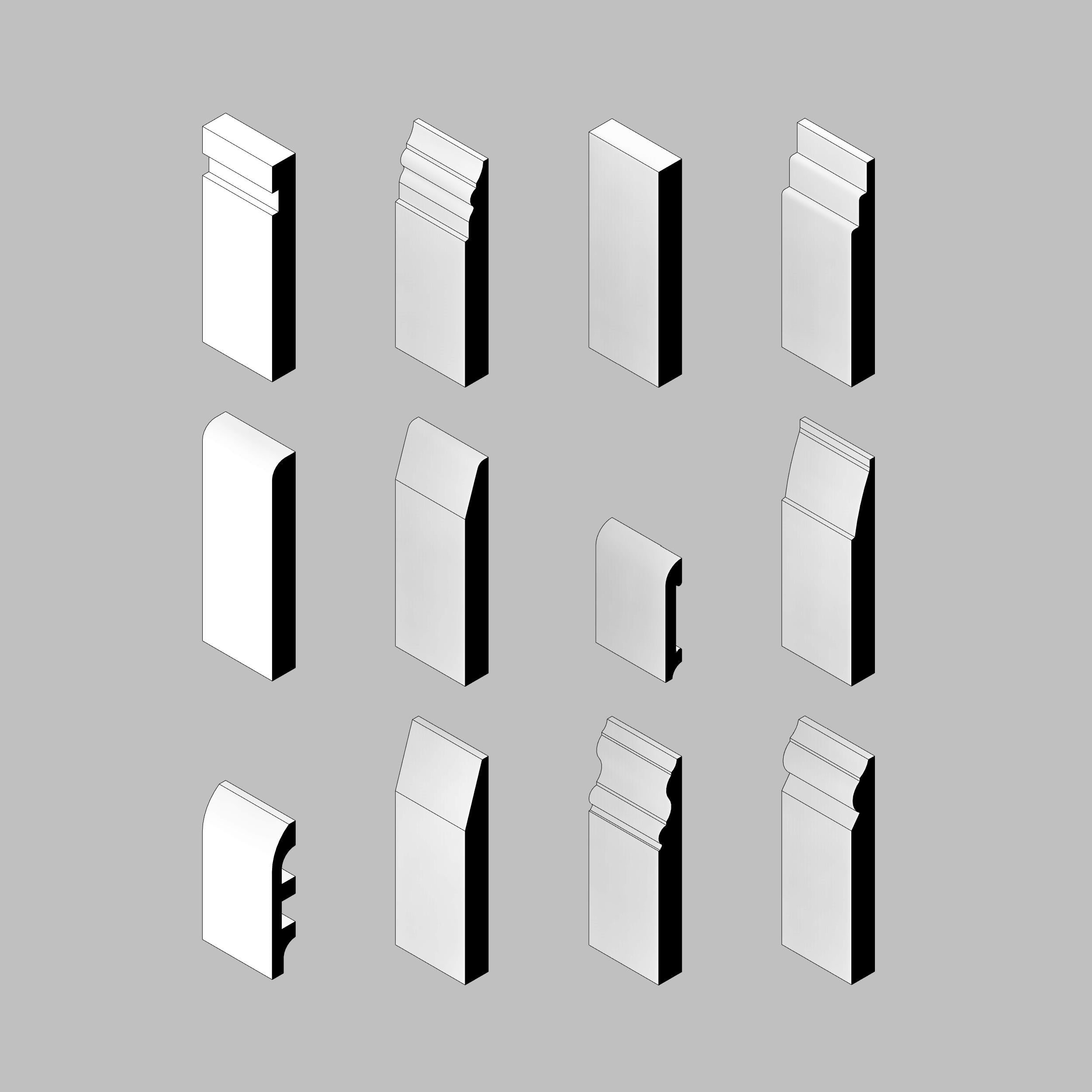



Revit Skirting Boards Profiles (12 Wall Sweeps)
- Educational licenses are strictly for students. Using these families in paid or client projects requires a Commercial Use license.
- Digital Download
- Revit Version: 2020
- Created by: RD Studio
- Pack Categories: Wall Sweep Profiles
- Units System: Metric and Imperial
- Product Version: V2
Free Products
Our Free Educational Use License is specifically designed for academic purposes. Under this license, RD Studio's free products can be utilized in educational settings, including classroom activities, academic projects, and other learning initiatives. When using a product, you are required to grant full credit to RD Studio, with an active link for online versions. Additionally, if a project using our product is showcased on social media, you must credit RD Studio with an active tag to our profile. Please note that commercial use of these products under this license is strictly prohibited.
Educational Use
Products labeled "Educational Use" are exclusively for student use in academic settings. These products are intended to support educational development and must not be employed for any commercial purposes.
Commercial Use
With the purchase of a Commercial Use License, you are authorized to use the product in commercial projects without the need to attribute RD Studio. However, the standard prohibitions on reproduction, distribution, and resale, as detailed in the "Strictly Forbidden" section, remain applicable.
University Multi-User License
The University Multi-User License is tailored for educational institutions, allowing up to 30 users, including students and teachers, to use our products for academic purposes. This license facilitates the use of our products in educational environments, such as classroom learning, academic research, and student projects. Redistribution or commercial use of these products under this license is not allowed.
Strictly Forbidden
You are not allowed to reproduce, distribute, copy or sell the contents of RD Studio at any circumstances. Products can’t be sold without being part of a bigger project or work combining RD Studio digital products with other graphics, modeling or digital elements. Also, you are not allowed to use products from RD Studio in similar or any competing services.
Zip Folders
To unzip a ZIP folder, right-click to select Extract Here.
How to Load Revit Families
1. Open Revit, go to the Insert Tab and Press on Load Family
2. Choose the downloaded family from your computer
For more information please visit our download and install instructions page.